Sketches that know what you mean
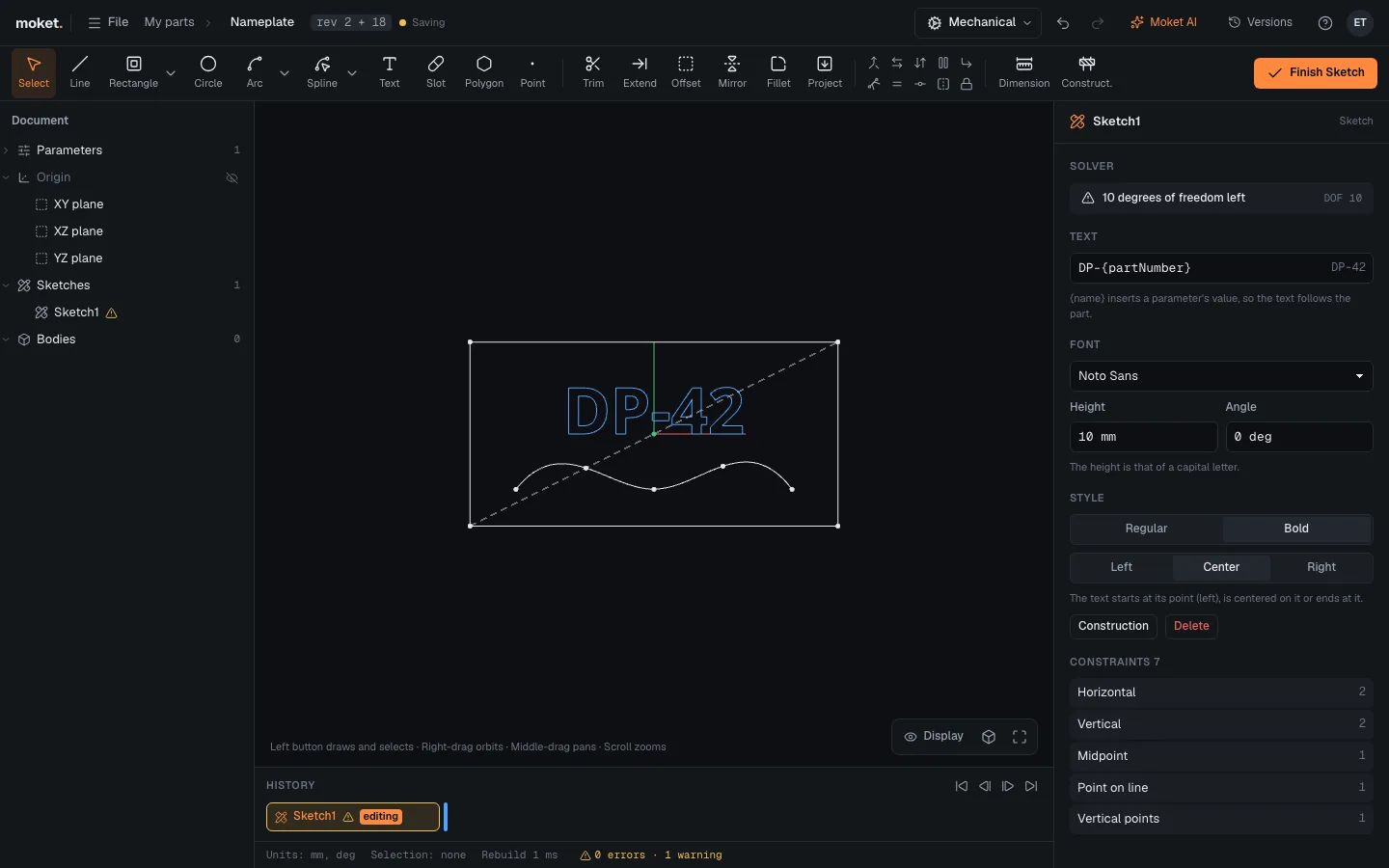
Lines, arcs, splines and text with dimensions and constraints. Text can follow a parameter.
Agent-native parametric CAD
Moket is a parametric CAD in the browser that you share with your AI agents. Describe a part and get real features - sketches, extrudes, fillets - with every dimension still yours to change.
rev 7How it works
Agents never touch the file. They send typed commands to the same Command Bus as the toolbar, and Moket checks every result before it lands.
"A housing for a 6204 bearing, four M6 bolts, 5 mm walls."
Moket AI or your agent turns it into commands: parameters, sketches, extrudes, holes.
Every plan rebuilds in a copy first. Your limits are measured, not guessed.
The result is a feature history with named parameters. Change the bore by hand tomorrow.
The CAD underneath
Sketches with constraints, a feature history, assemblies that move and drawings that stay in sync. Exact B-rep geometry from Open CASCADE, computed right in your browser.
Lines, arcs, splines and text with dimensions and constraints. Text can follow a parameter.
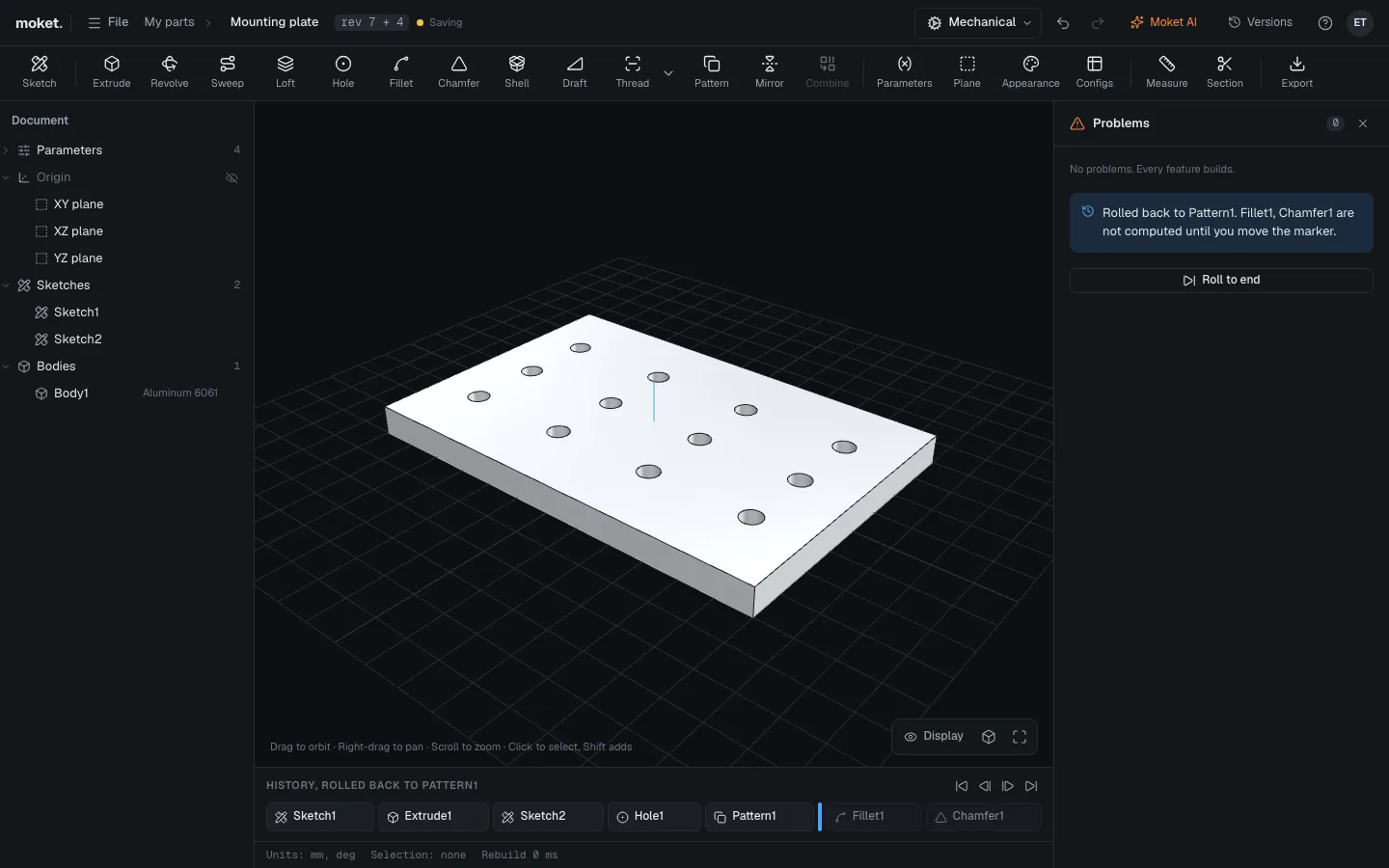
Every feature stays editable. Change a dimension and everything after it rebuilds.
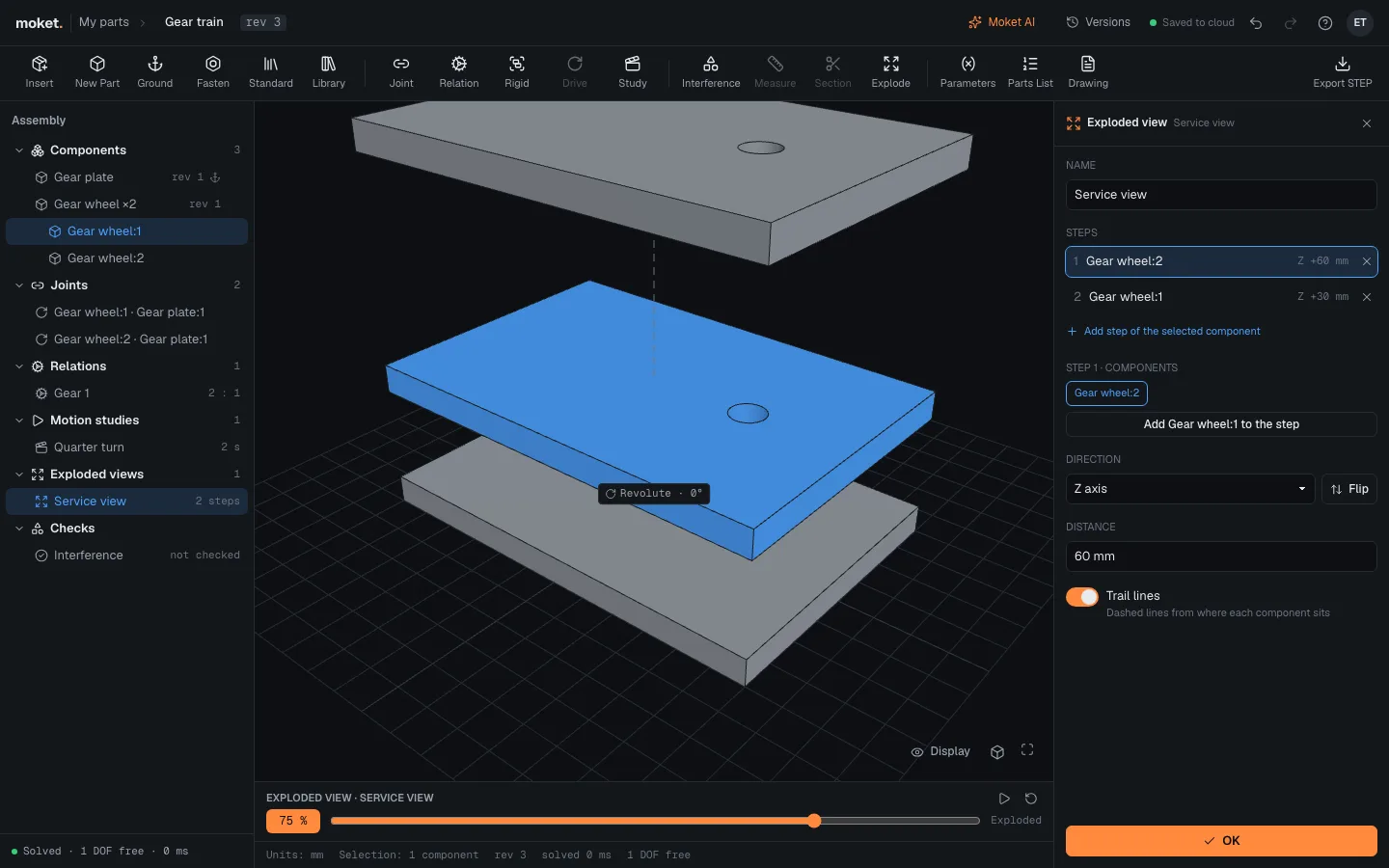
Joints, gears, motion studies, exploded views and interference checks.
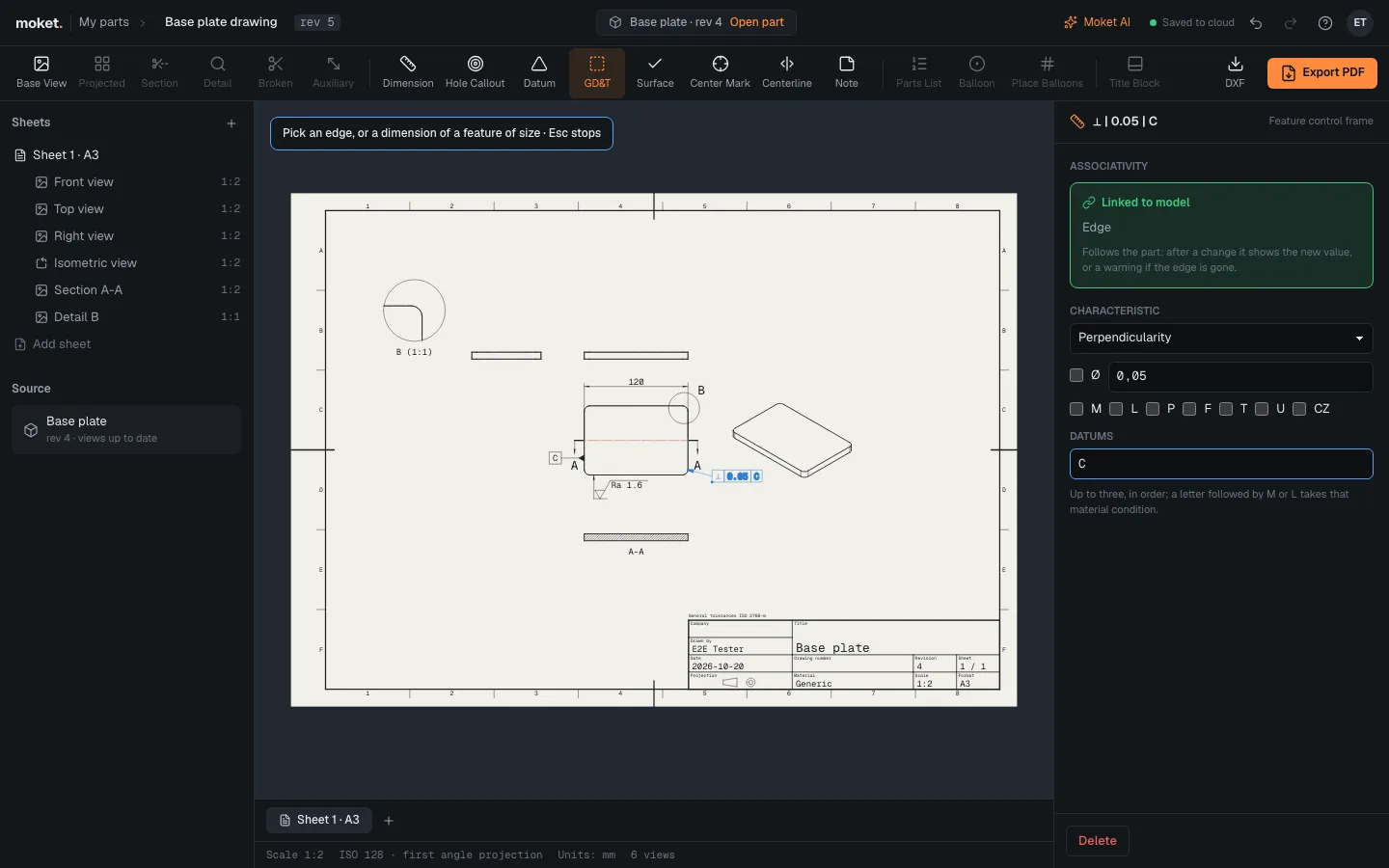
ISO sheets, sections, GD&T. Dimensions come from the model.
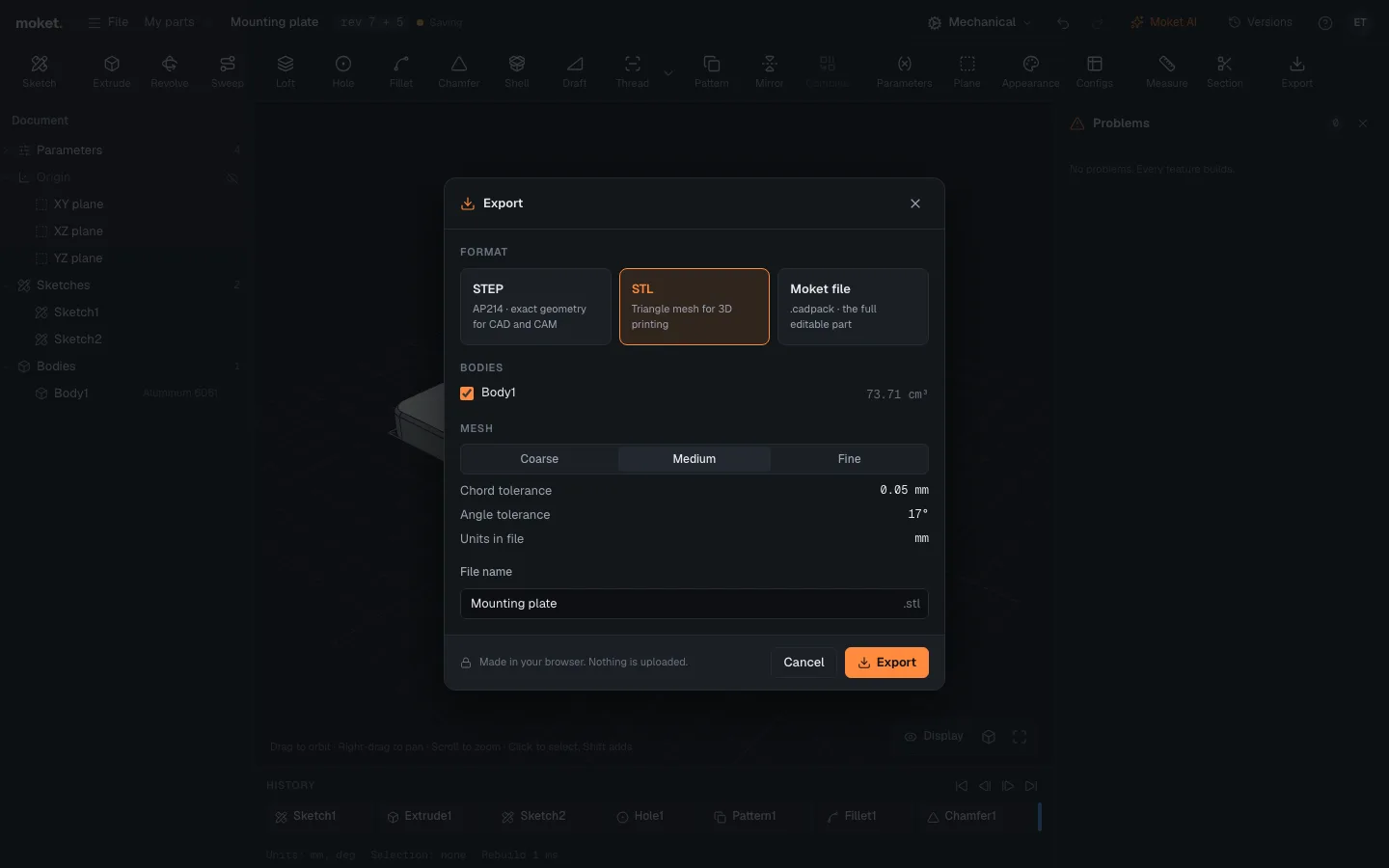
Hand parts to a shop, a printer or another CAD.
For agents
Add Moket as a connector to Claude, ChatGPT or Claude Code. Your agent gets the same tools as Moket AI: inspect, measure, preview, commit.
Build a linear stage on an MGN12 rail, 300 mm travel, and put the carriage in my library.
read_guideassembliesfind_library_partMGN12 · not found, modelling itcreate_partRail MGN12 · Carriage MGN12H · Basepreview_plan14 commands · 3 checks passcommit_planrev 1 · appliedcreate_assemblyLinear stage · slider 0..300 mmcheck_motionno interference over 300 mmpublish_to_libraryCarriage MGN12H · v1Done. The stage travels 300 mm with no collisions, and Carriage MGN12H v1 is in your library.
Workbenches
A workbench turns Moket into a tool for a craft. Leather is the first. Sheet metal is next, and the Plugin SDK lets you write your own.
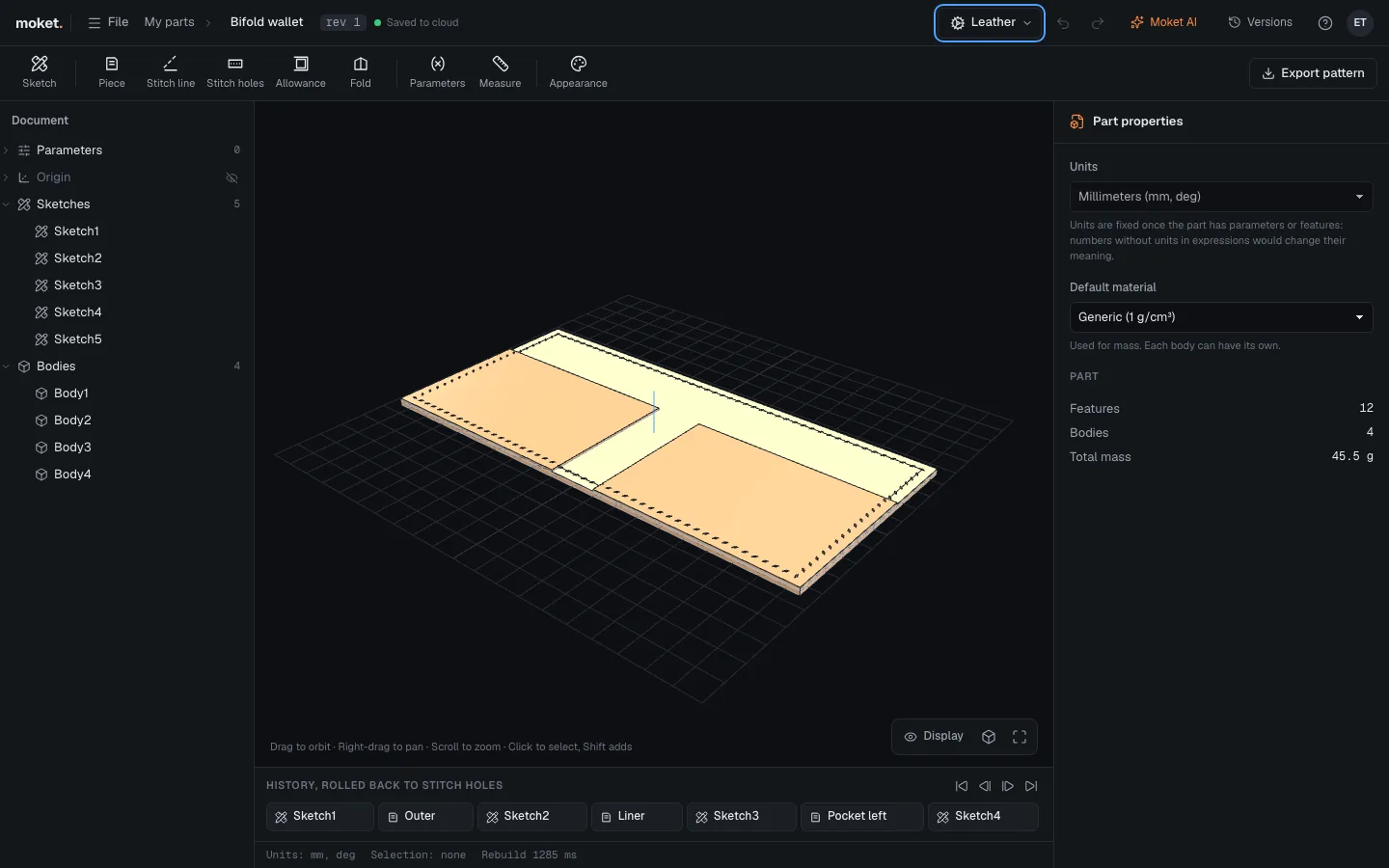
Pieces, stitch lines, matching hole counts, allowances and folds. Export the pattern 1:1 as tiled PDF, SVG or DXF.
Flanges, bends and flat patterns on the same SDK.
Write features in TypeScript. They run sandboxed, and parts open even without the plugin.
Why you can trust it
Your part is parameters and features, not a mesh. Geometry is always rebuilt from it.
The toolbar, Moket AI and your agents all speak the same typed commands, with one undo.
An agent never changes a value you asked for to make a plan pass. It tells you why, with numbers.
The Open CASCADE kernel runs in WebAssembly on your machine. The cloud keeps revisions.
Join the waitlist for the public beta.